
In certain cases, you may be required to block the ability for users to login to a mailbox. For example, one of your users may be suspended or under investigation. In order to block the ability to login but retain the messages in the account, you can utilize the Suspend Login option.
How to Suspend Login for Your Email Account in cPanel
1. To activate this option you first need to Login to your cPanel account and navigate to the Email Accounts section.

2. Click on the Manage button next to the targeted email account.
3. Scroll down to the RESTRICTIONS section and Select the Suspend for Logging In in in order to enable it.
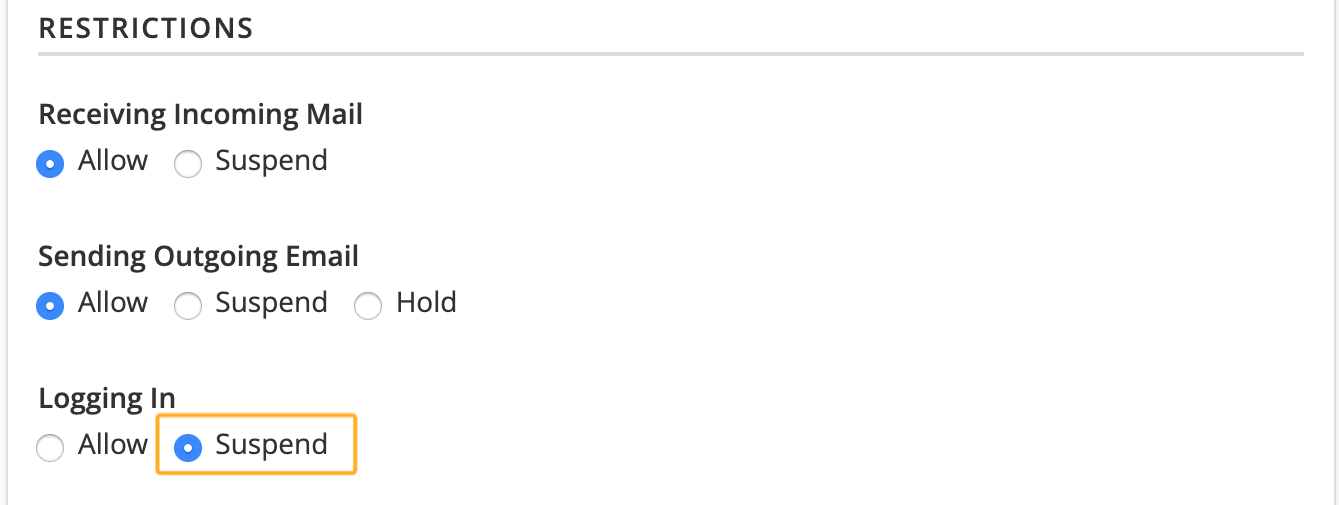
4. Click on UPDATE EMAIL SETTINGS button to save changes.
Once you return to the Email accounts page, you will notice a warning saying that the email address in question is Restricted. You can always toggle the Login setting back on by clicking on Allow for Logging In in the Restrictions section.